The Live tab shows what is happening on an event's page right now: how many people are on the site, how many have signed up in the last hour and where they are. It is built for announce and on-sale mornings, when you want to watch the rush as it happens.
Opening the Live tab
- Click Events in the menu and open an event.
- Click the Live tab.
The Live tab needs Google Analytics on the event's page. If it isn't connected yet, the tab shows sign-ups only and a Connect Google Analytics button. The Get ready checklist walks you through connecting it.
What the Live tab shows
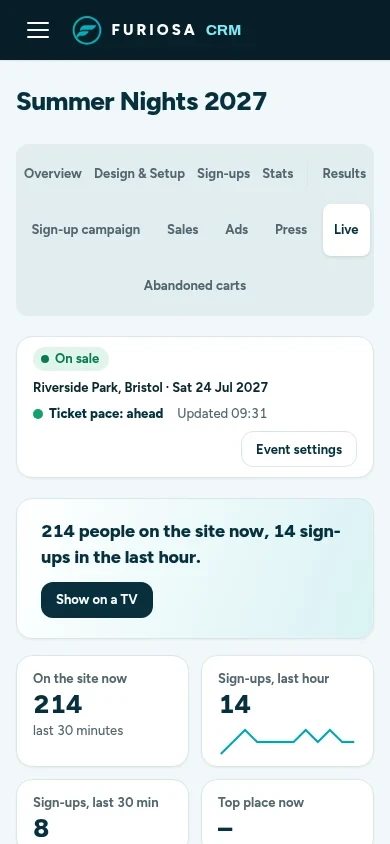
The headline sums it up in one line, for example 214 people on the site now, 14 sign-ups in the last hour. Under it:
- On the site now: people on the page in the last 30 minutes.
- Sign-ups, last hour and Sign-ups, last 30 min.
- Top place now: the town with the most people on the site.
- The last hour: sign-ups in each 5-minute slot, with people on the site over the same hour.
- Live map and Top places: where the people on the site are.
- Latest sign-ups: a ticker of the newest sign-ups by town, for example Bristol, 6 min ago. It never shows a name.
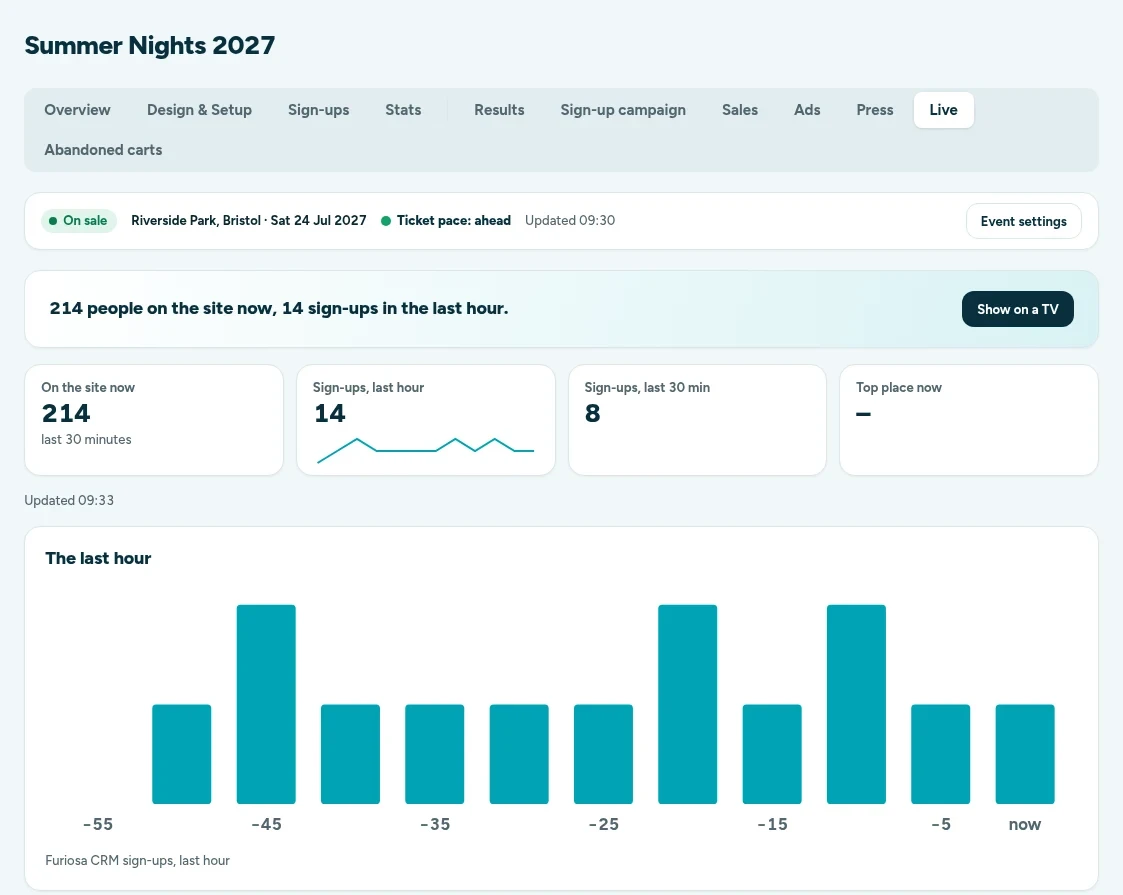
The page refreshes itself, so you can leave it open. The time it last updated shows under the figures.
Show on a TV
Click Show on a TV in the headline to open a full-screen view with no menu, for an office or venue screen. It refreshes every 20 seconds and reloads itself every 6 hours, so it can stay up all day. A TV link shows only that event, and you can switch it off at any time.
On your phone
The Live tab works at phone size too, so you can keep an eye on an on-sale from anywhere.
How live figures are counted
- On the site now comes from Google Analytics realtime: the people on the site in the last 30 minutes. Each person counts once, however many pages they open. People who block Google Analytics aren't counted, so the real number can be higher.
- On the site now is not the sum of the places, because Google Analytics can't place everyone.
- Places are the towns Google Analytics names. They are kept for 120 minutes.
- Sign-ups are counted by Furiosa CRM from your sign-up form, so they include everyone, ad blocker or not.
- If Google Analytics stops answering, the last count stays on screen and is marked with the time it was taken. It is never shown as zero.
Open the How live figures are counted fold at the bottom of the tab for the same notes in the app.
How long visitor detail is kept
Full website traffic detail is kept for 14 days. After that, daily totals are kept, so the event's history stays on its Stats, Results and Sign-up campaign tabs.